
● Comment CODE · the freebie

This isn't a photo. It's code.

Claude Fable 5.2 built all eight of these from a single prompt each, with no 3D software and no image or model files. Here are the exact prompts, the two lines that make them look real, and every demo running live in your browser.

How to use them

Each prompt is a brief, not a one-liner. The realism lines and one honest follow-up do most of the work.

01

Empty folder, Fable 5.2

Open Claude Code in a new folder with Fable 5.2 selected. One build per conversation.

02

Paste the prompt

"Copy prompt" on each card already adds the realism lines below. Let it run and check its own screenshots.

03

Send one follow-up

Most of mine needed one more message about the set, the light and the materials. Use the follow-up below.

The realism lines (added for you)
Use three.js, everything procedural: no image, model or font files. Aim for "is that a photo?": physically based materials, a procedural environment map, soft shadows, a key light with a clear direction, shallow depth of field, bevel every hard edge, add surface detail in code.

Take screenshots of your own result, look at them the way a stranger scrolling Instagram would, and keep fixing until you would be proud of it. Expect several rounds.
The follow-up
It works, but it still looks like a clean 3D render, not a photo. Fix the look, keep the animation:
1. Set: put it in a real place (a desk by a window, a workshop, an arcade) with props and a blurred background that has depth, not an empty wall.
2. Light and lens: one soft key light from the side with real shadows, shallow depth of field on the subject, a gentle vignette and fine grain.
3. Materials: visible thickness on edges, seams between parts, contact shadows where things touch, scuffs, fibres or fingerprints in the roughness.
Screenshot the opening frame and two more, compare them to a real photo of the same thing, and keep going until you can't tell.

The 8 prompts

Tap a film to open that demo live: everything you see is running as code in the page, and most of them react to your mouse or keyboard.

Open live ↗ Drag the globe to shake it
01

A snow globe you can shake

Refracting glass, a tiny village inside and thousands of flakes that swirl when you grab it, then drift back down. Every single flake is simulated.

The prompt
Build a photoreal snow globe in three.js that reacts when you grab and shake it.

- Inside the glass: a tiny winter village on a snowy hill. A cottage with glowing windows and a smoking chimney, a few pine trees, a lamp post, a little bridge or a snowman. Modelled with care at miniature scale.
- The globe: thick real glass that refracts and magnifies the scene (transmission, IOR, thickness), a bright window reflection, liquid inside, and a turned wooden or brass base with an engraved plate.
- Snow: a few thousand flakes simulated in the liquid. Shake the globe and they burst into a swirling storm that follows the motion, then slow down and drift to the ground over several seconds, settling on roofs and trees.
- Film it on a wooden table by a window at dusk, warm inside light against cool blue outside, shallow depth of field, soft shadow and a caustic glow on the table. Start with the storm already swirling. A hand pointer grabs the globe and shakes it twice during the clip; the camera slowly circles and pushes in on the cottage.
- In the live page, dragging the globe shakes it.
Open live ↗ Drag up or down to wind it
02

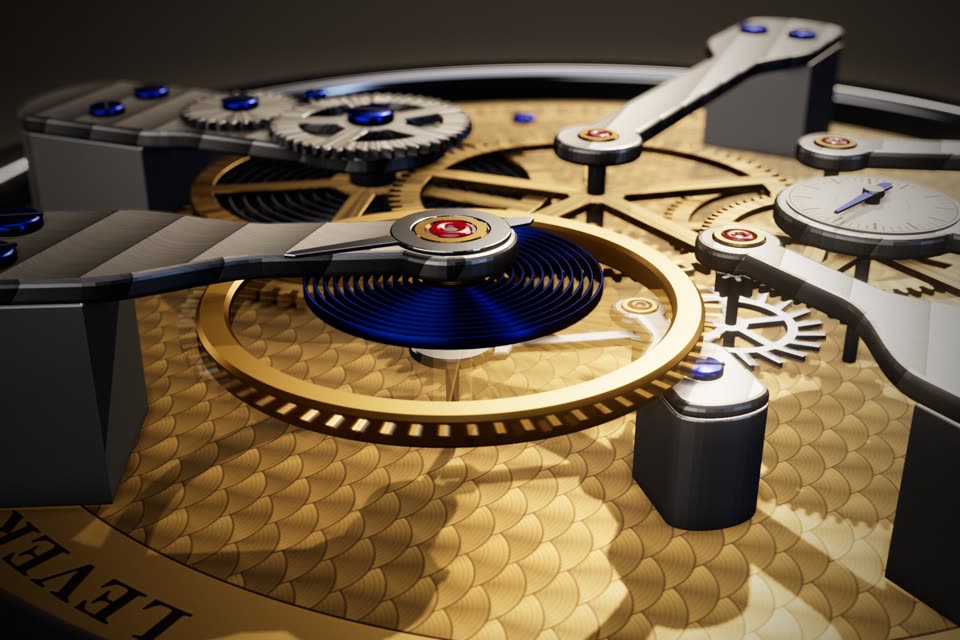
A watch that actually ticks

Every gear is driven by the one before it, with real tooth ratios, down to a balance wheel beating eight times a second. No 3D software. No model files. Just code.

The prompt
Build a mechanical watch movement in three.js that really works, shown as a macro product film.

- The movement: mainspring barrel, a gear train (centre, third, fourth, escape wheel) with tooth counts and pinions chosen so the ratios are real, a pallet fork that locks and releases the escape wheel, and a balance wheel with a hairspring swinging at 4 Hz. The seconds hand steps with the escapement; nothing spins for show.
- Model it: gear teeth as real extruded profiles, spoked wheels, bevelled bridges with striped finishing, blued screws, ruby jewels, a brass main plate with circular graining, a polished steel case ring.
- Film it like a watch advert: dark studio, one warm key light, soft reflections, shallow depth of field. Open tight on the swinging balance wheel, glide across the gear train, pull back to the whole movement, then lift it apart into floating layers (exploded view) and let it settle back together, still ticking.
- A pointer drags the crown to wind it: the ratchet and crown wheel turn and the mainspring tightens. In the live page, dragging winds it too.
Open live ↗ Space to launch, ← → (or Z / M) to flip
03

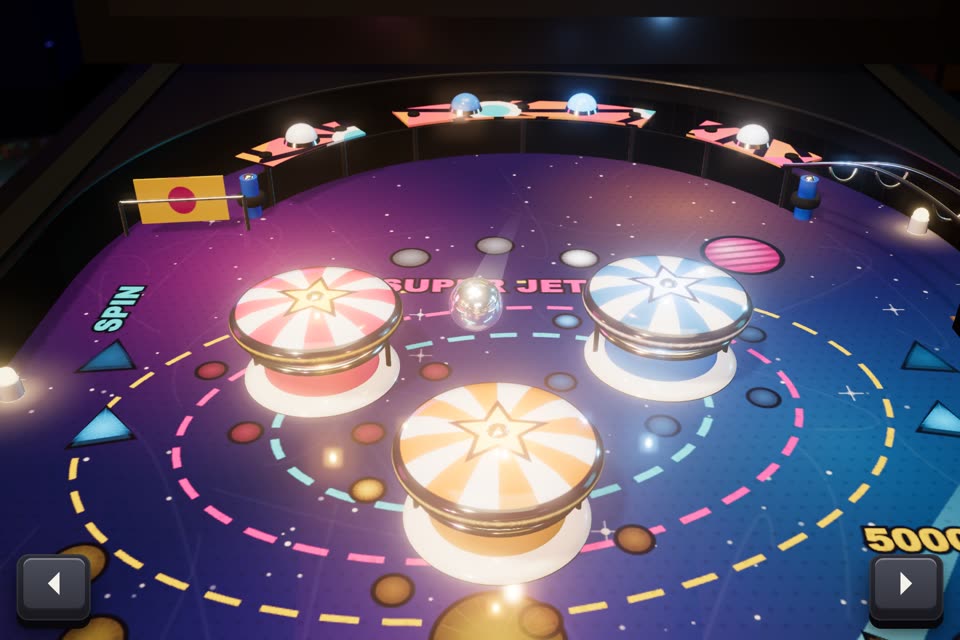
A pinball table you can play

Flippers, bumpers, drop targets and a chrome ball, running on physics Fable 5.2 wrote from scratch. Open it in a browser and the arrow keys really flip.

The prompt
Build a complete, playable pinball table in three.js with its own physics. No physics library.

- A real table: inclined playfield, two flippers, slingshots, three pop bumpers, a ramp or orbit lane, drop targets, a plunger lane, outlanes, a chrome ball. Write the physics yourself (ball vs. segments, arcs and moving flippers, with fixed sub-steps so it is stable and repeatable).
- Everything reacts: bumpers flash and kick, targets drop, inserts light up under the playfield, the score on a dot-matrix style display jumps, the ball leaves a short motion streak.
- Look: a physical object on a stand in a dim arcade. Glossy printed playfield art you draw in a canvas (invent a theme, no real brands), chrome rails, coloured rubber, a glass sheen, warm lamp glow.
- The film: start mid-game with the ball already flying into the bumpers, follow the ball with the camera for a few seconds, cut to a wide angle of the whole table, show a flipper save close up, end on a big score moment. A scripted player works the flippers; show two small key caps (left / right) that press when it plays.
- In the live page the left and right arrow keys (and Z / M) really flip, space launches the ball.
Open live ↗ Scroll to drive the page, click a swatch
04

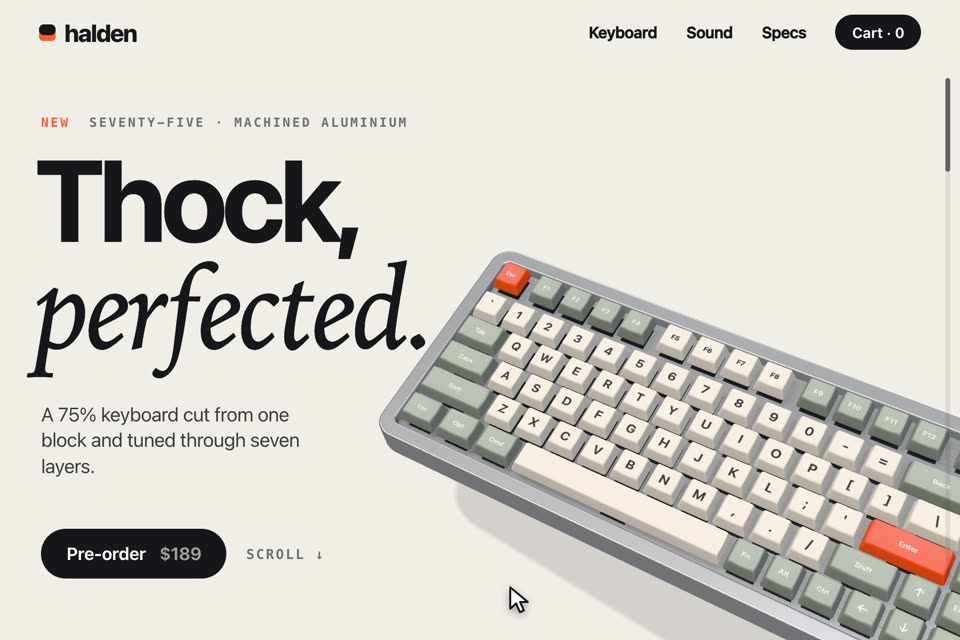
A 3D product website

It invented the brand, designed the page and modelled the keyboard part by part. Scroll and it types its own headline, then takes itself apart.

The prompt
Design and build the landing page for a made-up mechanical keyboard, with the keyboard itself modelled in three.js
and driven by scrolling.

- The product: a 75% keyboard you model part by part. Sculpted keycaps with printed legends, switches with stems and springs, a plate, a circuit board with traces, foam, an aluminium case with a brass weight, a knob.
- The page: a real, well-designed site around it. Invent the brand name. Big confident typography, a nav bar, a hero headline, three scroll sections with short copy and one spec number each, a price and a buy button. Light, bright, editorial. The 3D keyboard sits in the page and the layout moves around it.
- Scroll tells the story: hero shot at an angle; then the keyboard types the headline itself, keys going down one by one; then it turns and explodes into its layers with thin labels; then the switch close-up with the spring compressing; then it reassembles next to the price.
- Film: a scripted pointer scrolls the page smoothly from top to bottom and clicks a colourway swatch that recolours the keycaps. In the live page real scrolling drives the same timeline and the swatches work.
Open live ↗ Click to burst the set
05

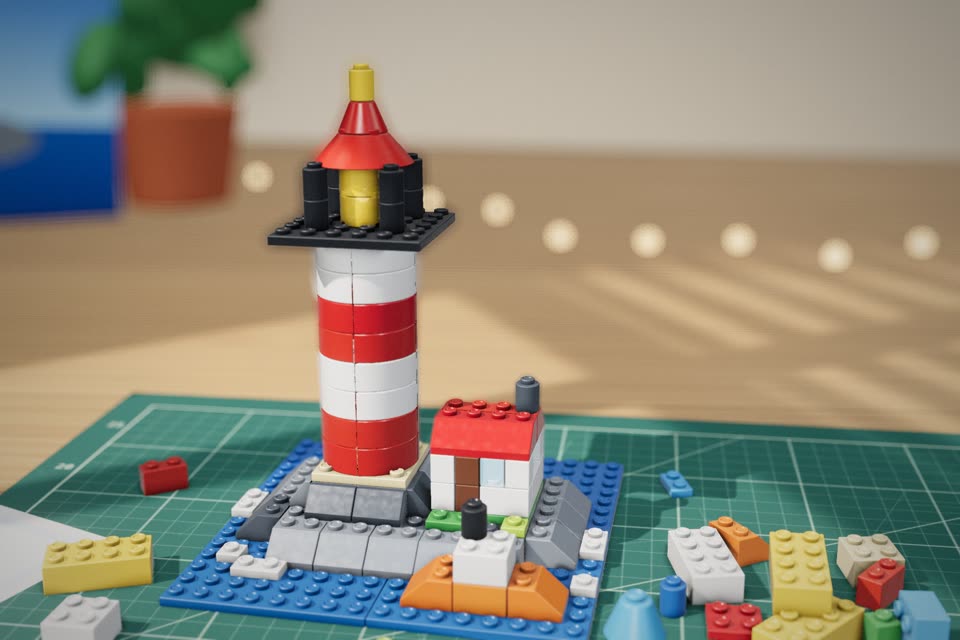
A brick set that builds itself

A stop-motion film with no camera and no bricks. Fable 5.2 modelled every piece, planned the build order and animated it pose by pose.

The prompt
Build a stop-motion style film in three.js where a toy brick set assembles itself on a table.

- The bricks: classic studded plastic bricks, plates, slopes, a few round and transparent pieces, with bevelled edges, hollow studs, slight colour variation and the soft gloss of real ABS. No logos on the studs.
- The model: a small lighthouse on a rocky island with a red and white tower, a lantern room with a transparent yellow light, a little keeper's house, a boat on blue plate water. Design the build order like real instructions, bottom up, sub-assemblies first.
- Stop-motion feel: animate on twos (12 fps poses held for two frames), bricks hop in from a loose pile at the side, wobble and click down, tiny imperfections in placement, a fingerprint smudge here and there.
- Film it like a tabletop shoot: daylight from a window, a cutting mat or wooden desk, shallow depth of field, the camera orbiting slowly and rising as the tower grows. Start with the island half built and bricks already flying. When it is finished the lantern lights up and sweeps a beam, then the set bursts back into the pile.
- A pointer taps the finished lighthouse to trigger the burst. In the live page, clicking does the same.
Open live ↗ Click a ball of wool to change colour
06

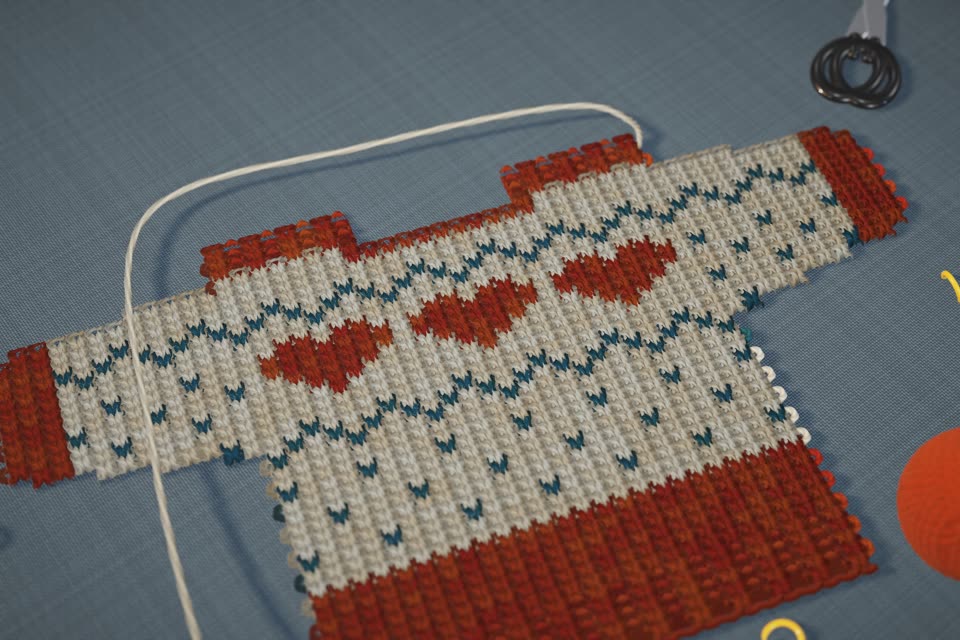
A sweater knitted by code

More than a thousand loops of yarn, each one real geometry hooked through the row below. Click another ball of wool and it changes colour mid-row.

The prompt
Build a close-up film in three.js of a tiny wool sweater being knitted stitch by stitch, where every loop of yarn
is real geometry.

- The yarn: each stitch is an actual interlocking loop (a tube following the knit-stitch curve, passing over and under its neighbours), twisted plies visible, fuzzy stray fibres catching the light, slight irregularity so it looks hand made. Thousands of loops, so instance or merge them.
- The piece: a miniature jumper with a colourwork pattern across the chest (invent it: little foxes, mountains, hearts or stars), ribbed cuffs and hem. It grows row by row on two wooden needles, the working yarn running off to a ball of wool that slowly unwinds and turns.
- Film it as macro craft photography: soft window light, a linen or wooden table, scissors, a few stitch markers and a second ball of wool as props, very shallow depth of field. Open extremely close on loops forming on the needle, travel along a row as the colour changes, pull back as the pattern appears, finish on the whole sweater, then let it unravel back along the yarn so the clip loops.
- A pointer clicks a ball of wool in another colour and the next rows knit in that colour. In the live page, clicking the wool does the same.
Open live ↗ Click for the next fold, drag to orbit
07

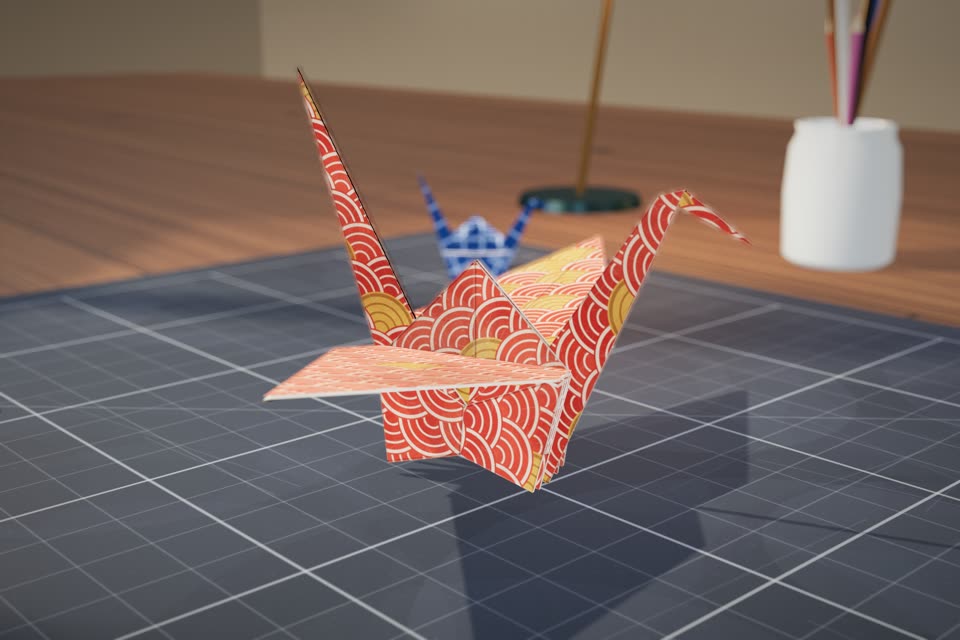
Origami that folds itself

One square sheet, eighty flat facets, hinged along real crease lines. No morphing, no cheating: it folds the way your hands would.

The prompt
Build a film in three.js where a square sheet of paper folds itself, crease by crease, into origami figures.

- Real folding: the sheet is a mesh of flat facets hinged along crease lines, and every step is an actual fold about a crease (valley and mountain folds, reverse folds), never a morph or a cross-fade. Paper has thickness, layers stack without passing through each other, and each crease stays slightly sprung open like real paper.
- The paper: two-sided (a printed pattern outside, plain colour inside), visible fibre texture and soft creases that stay as marks after unfolding, all drawn in code.
- The figures: fold a classic crane as the hero. If you can fold more correctly, go from sheet to boat to crane. Finish the crane properly: wings pulled down, neck and tail reverse-folded, a little beak.
- Film it as a tabletop shoot: a desk with a cutting mat, a bone folder and a few finished paper figures as props, soft daylight, shallow depth of field, crisp contact shadows under every flap. Start mid-fold with a flap already in the air. The camera drifts and pushes in on the tricky folds. At the end the crane flaps its wings once, then unfolds flat again so the clip loops.
- A pointer taps the paper to trigger each stage. In the live page, clicking steps to the next fold and dragging orbits the camera.
Open live ↗ Click to drop ink, drag to stir
08

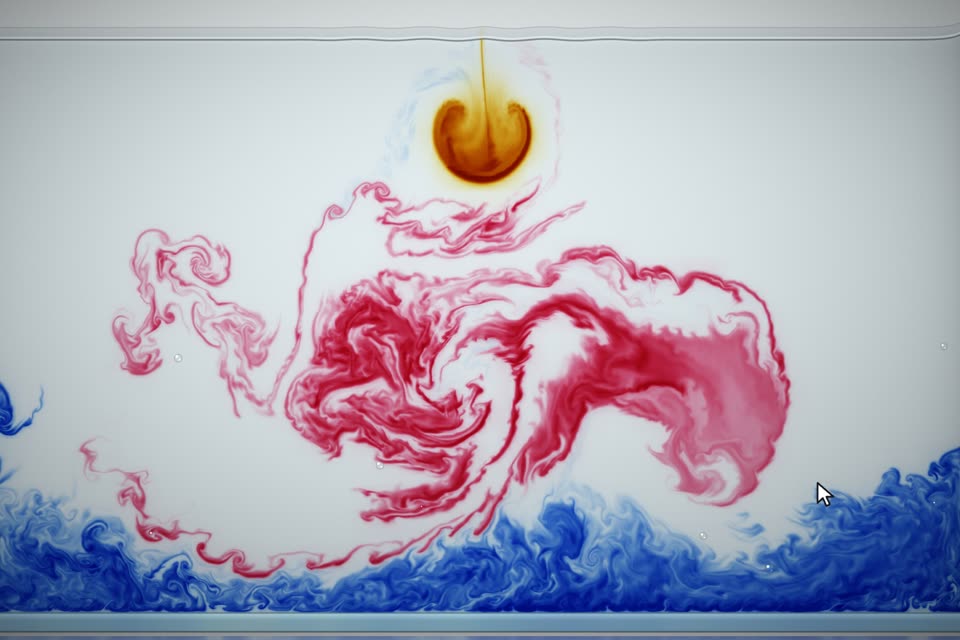
Ink dropped in water

This is not footage. It is a fluid simulation running live on the graphics card, and you can drag your cursor through it to stir the ink.

The prompt
Build a real-time fluid simulation in WebGL that looks like coloured ink blooming in a glass tank of water,
filmed against a bright studio backdrop.

- Solve the fluid on the GPU (velocity advection, pressure projection, vorticity confinement, buoyancy) at a resolution high enough for fine curling filaments. Ink sinks and mushrooms the way real ink does.
- Render it as ink, not as a glowing neon fluid: subtractive colour on a clean white-to-pale-grey backdrop, soft absorption, darker dense cores and wispy translucent edges, a faint glass tank edge, a waterline with a meniscus near the top, a soft reflection on the surface below.
- The film: start with a deep blue plume already unfolding. New drops fall from the top every few seconds in different colours (crimson, ochre, black) and mix where they meet. A pointer drags through the water and the ink swirls around it. End with a slow drift that can cut back to the start.
- In the live page, clicking drops ink and dragging stirs it.