The exact prompts behind the reel: one base prompt that builds the engine (smooth overlapping motion, follow-through, the lens and the bends), then one short prompt per carousel. All 20 run live in your browser.
Every carousel is one pose function on the same engine, so you can add one layout, five, or all twenty.
01
Paste the base prompt
Into Claude, ChatGPT or Gemini. You get the engine: 14 photo cards, the smooth motion and the layout switcher.
02
Add carousels
Paste any carousel prompt below in the same chat. Each one adds a layout with the exact numbers used in the reel.
03
Swap in your cards
Replace the 14 photos with your products, projects or posts. Any 4:5 images work.
Base prompt · the engine
Build a single-file web page (index.html, three.js from a CDN as an ES module) that shows 14 photo cards and can switch between card "carousel" layouts.

Look
- Cards: 4:5 portrait photos, 3% rounded corners (signed-distance mask in the fragment shader, fwidth antialiasing), a soft dark shade uniform for depth, and the back face drawn as off-white paper.
- Each card is a THREE.PlaneGeometry(1, 1.25, 48, 64) with a custom ShaderMaterial (transparent, depthTest off, premultiplied alpha, DoubleSide). Draw order comes from a per-card "k" value (mesh.renderOrder), like z-index.
- Camera: PerspectiveCamera at z = 1500 px with the fov set so 1 world unit = 1 CSS pixel at z = 0. Card width CW = min(24% of width, 27% of height).
- Render the cards into a WebGLRenderTarget (4x MSAA), then a full-screen post pass that draws a near-white background (#fbfbfd fading to #eef0f4) with three faint radial lights (lavender top-left, peach bottom-right, cyan top-right), composites the cards over it, and adds 1/255 dither.

Layouts
- A layout is { name, every (seconds per beat), flow, stg, focus, lean, pose(c, i, t, v) }.
- s is the scroll position (cards advanced so far). For card i, c = mod(i - s, 14): c in [0,1) is the card leaving the front, c just under 14 is the card that just arrived.
- pose returns { x, y (fractions of width/height from centre), z (in card widths), rx, ry, rz (degrees), s (scale), o (opacity), d (shade), k (stacking), bend, curl }.

Motion (this is what makes it feel smooth)
- Every beat adds 1 to s. Each move is a smootherstep 6x^5 - 15x^4 + 10x^3 (zero velocity AND acceleration at both ends) lasting flow x the beat, and the moves overlap, so the carousel never stops dead: s(t) = sum over beats k of smootherstep((t - k*every) / (every*flow)).
- Follow-through: the card at the layout's focus slot leads and every other card samples s a little later (stg seconds per slot of distance, wrap-symmetric), so motion ripples outward instead of moving as one block.
- Lean: from the card's on-screen velocity, add rz = clamp(-vx * 0.0045, ±5°) and ry = clamp(vx * 0.006, ±7°), so cards tilt into their direction of travel.
- Fades use smoothstep on opacity. Cards are hidden (o = 0) wherever they wrap from one end to the other.

Switching layouts
- On switch, freeze both layouts' clocks, then move every card from its old pose to its new pose with smootherstep over 1.15 s. Delay each card by its target x (a wave from left to right, up to 0.45 s), lift it toward the camera by sin(pi*m)*0.45 card widths and twist it a few degrees on the way. After the wave, resume the new layout from where it was frozen.

UI
- Bottom-left pill buttons for every layout, arrow keys to step, drag/scroll to scrub with inertia that settles on the nearest card. Small "Carousel Study" eyebrow and the layout name top-left.
The 20 carousels
In the order of the reel. Click any clip to open that layout live, then drag or scroll to push the cards yourself.
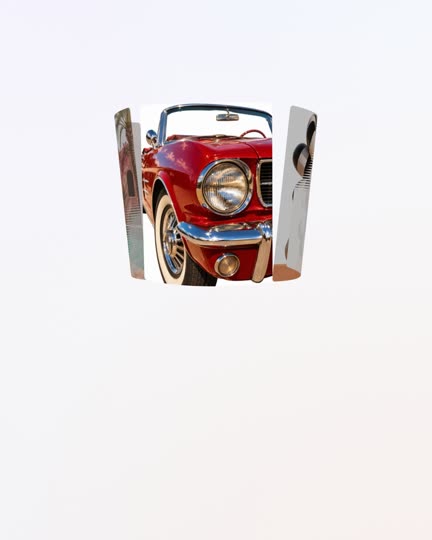
A flat card in the middle, and the cards either side bend away through a screen-space lens.
Prompt
Add a layout "Lens Strip" (every 1.25 s, flow 1.55, stg 0.035, focus 7).
pose: u = c - 7; x = u * 0.35, scale 1.42, opacity clamp(3.3 - |u|), k = -|u|.
Add a lens to the post pass, enabled by this layout: in NDC, keep |x| < 0.35 flat; past that the picture pinches to 0.84x height at |x| = 0.48, then flares to ~1.85x at the screen edge (height scale (1 - 0.16*smoothstep(0.35,0.48,ax)) * (1 + 0.85*pow(clamp((ax-0.42)/0.58,0,1), 2.2))), and pushes outward by 0.18*u^2. In the wings, add a 9-tap streak along x, a red/blue fringe (0.008 offset), and fade the cards out from |x| = 0.76 to the edge with a faint lavender glow behind. Lerp the lens strength in and out during layout switches.
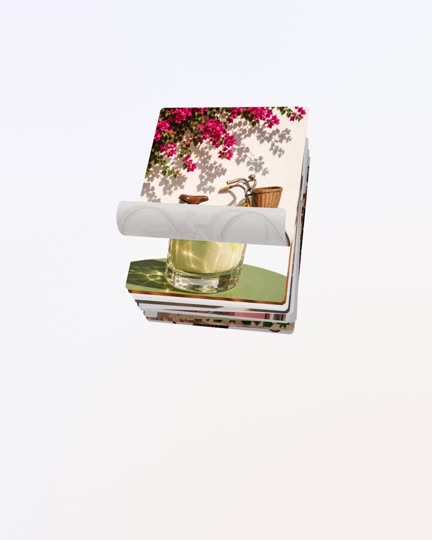
The top card curls up off the stack like paper and lifts away.
Prompt
Add a layout "Page Peel" (every 1.5 s, flow 1.05). Tilt the whole stack: rx 24, ry -18.
Add a "curl" uniform to the card vertex shader: an axis climbs the card from the bottom edge (y0 = -0.625 + curl * 1.25 * 0.85). Paper below the axis wraps round a cylinder of radius 0.12 (y = y0 - r sin th, z += r (1 - cos th), th = distance / r); past half a turn it lies flat over the top. Shade it by 0.16 sin th.
pose: the leaving card (c < 1, p = 1 - c) gets curl = p * 1.5, rises y = -smoothstep((p - 0.5) / 0.5) * 0.6, z = p * 0.5 and fades after p = 0.7; the rest stack with r = c - 1: x = r * 0.003, y = r * 0.007, z = -r * 0.03, small random rz, shade min(0.35, r * 0.035).
Cards fall in from above and land on a messy pile on a table.
Prompt
Add a layout "Gravity Drop" (every 1.1 s, flow 1.0, with a 6% soft overshoot on each move so it settles).
Per card, seeded random rest pose: rz0 in ±18°, x0 in ±0.15, y0 in ±0.1.
pose: age = 14 - c. While age < 1 (falling, p = age): x = lerp(x0 * 0.3, x0, p), y = lerp(-1.05, y0, p), rz = lerp(rz0 + 40, rz0, p), scale lerp(1.1, 0.82, p), on top of everything.
On the pile (r = age - 1): x0, y0 + r * 0.004, z = -r * 0.03, scale 0.82 - r * 0.008, shade min(0.4, r * 0.06), opacity clamp(8 - r), k = -r.
Cards wrapped round the outside of a turning drum, each one curved.
Prompt
Add a layout "Drum" (every 1.25 s, flow 1.6, stg 0.03, focus 7).
Add a "bend" uniform to the vertex shader: bend the card across its width into an arc of angle x * bend (x = sin(a)/bend, z += (1 - cos a)/bend).
pose: u = c - 7, radius Rp = min(30% of width, 420 px), scale 1.1, a = u * (CW * 1.1 * 1.06) / Rp.
x = sin(a) * Rp / width, z = (cos(a) - 1) * Rp / CW, ry = a in degrees, rx = -6, bend = -CW * 1.1 / Rp, opacity clamp((1.75 - |a|) * 3), k = cos(a), shade (1 - cos a) * 0.35.
Cards lie on a floor running away from you, stand up at the front, then lift out.
Prompt
Add a layout "Runway" (every 0.95 s, flow 1.25, stg 0.03).
pose, three phases:
- Floor (r = c - 2): y = 0.34, rx = 76 (lying flat), z = 0.2 - r * 1.25, shade min(0.4, r * 0.03), fade at both ends, k = -r.
- Standing up (1 <= c < 2, e = smoothstep(2 - c)): y lerp(0.34, -0.17, e), rx lerp(76, 0, e), scale lerp(1, 0.95, e), z lerp(0.2, 1.0, e).
- Leaving (c < 1, p = 1 - c): y = -0.17 - p * 0.7, rx = -p * 12, z = 1.0, fade after p = 0.45, on top.
The top card swipes off to the left and the next one rises up.
Prompt
Add a layout "Swipe Stack" (every 1.2 s, flow 1.1).
pose: the top card (c < 1, p = 1 - c) swipes away in an arc: x = -p * 0.75, y = p^2 * 0.12, rz = -p * 30, fades after p = 0.55, on top.
The stack below (r = c - 1): y = r * 0.075, scale 1 - r * 0.075, z = -r * 0.1, alternating rz ±2.5°, shade min(0.3, r * 0.07), opacity clamp(4 - r), k = -r.
Add a layout "Rolodex" (every 0.85 s, flow 1.3, with a 7% soft overshoot so each flip settles).
pose: r = c - 1, a = r * 26°, R = 1.25.
y = sin(a) * R * 0.42, z = cos(a) * R - R, rx = -r * 26, scale 1.08, shade clamp(|r| * 0.12, 0, 0.5), opacity clamp(4.2 - |r|), k = -|r|.
A wave flips a brick grid of tiles, and each flip shows the next photo.
Prompt
Add a layout "Domino Flip". Lay the 14 cards in a 5-4-5 brick grid (columns 0.19 apart, rows 0.29 apart), scale 0.6.
Every 3 s a flip wave starts at the centre: each tile's local time = t - distance * 1.4 (distance = hypot(x * 1.6, y)). The flip p = smootherstep(time in the pass / 1.1) rotates ry 0 → 180; past 90° draw ry - 180 and show the next photo (image index + 1 per pass).
During the flip: z = sin(pi p) * 0.4, scale + 0.05 sin(pi p), shade sin(pi p) * 0.2, on top.
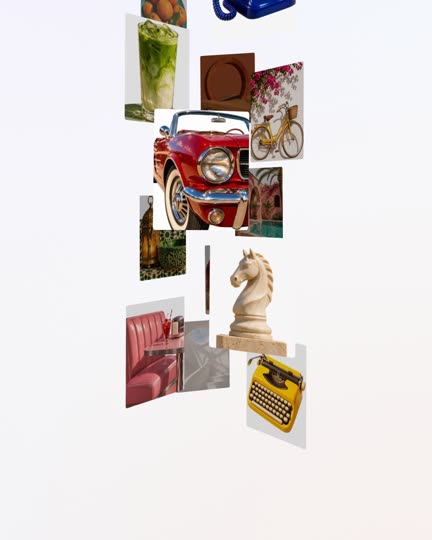
The lens turned vertical: a flat middle card, the top and bottom ones flaring.
Prompt
Add a layout "Lens Column" (every 1.25 s, flow 1.55, stg 0.035, focus 7).
pose: u = c - 7; y = u * 0.47, scale 1.22, opacity clamp(3.3 - |u|), k = -|u|.
Enable the Lens Strip post-pass lens rotated 90°: flat in the middle band of the screen, flaring the content above and below with the same pinch, flare, streak, fringe and edge fade.
A grid where one card steps forward to the middle each beat and the rest dim.
Prompt
Add a layout "Spotlight Grid" (every 1.3 s, flow 1.2). Lay the cards in a 5-4-5 brick grid (columns 0.19, rows 0.29, scale 0.52).
Each card gets a spotlight amount f: it rises over one beat as the card arrives (c from 14 to 13) and returns over the next (c from 13 to 12), smoothstep both ways.
pose: x, y = lerp(grid, centre, f), scale lerp(0.52, 1.45, f), z = f * 1.2, rz = -sin(pi f) * 6, shade 0.12 * (1 - f), k = f * 10.
The top card swings out in an arc and slides back in at the bottom of the deck.
Prompt
Add a layout "Riffle Deck" (every 1.1 s, flow 1.1).
pose: the top card (c < 1, p = 1 - c, arc = sin(pi p), rr = p * 13): x = arc * 0.34 + rr * 0.004, y = -arc * 0.05 + rr * 0.006, z = -rr * 0.02, rz = jitter + arc * 16, ry = -arc * 12, scale 1 + arc * 0.08. Draw it above the deck for the first half and below for the second, so it lands exactly on its slot at the bottom.
The deck (r = c - 1): x = r * 0.004, y = r * 0.006, z = -r * 0.02, small random rz, shade min(0.4, r * 0.03), k = -r.
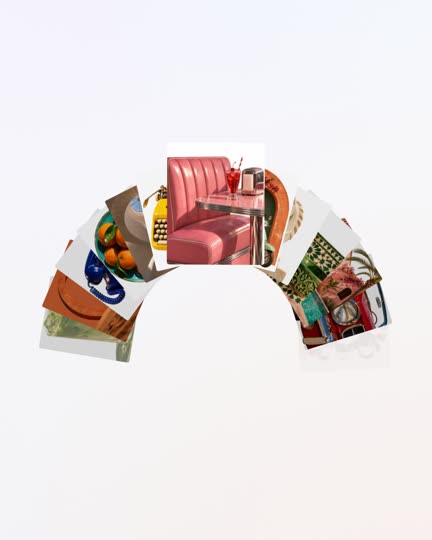
Cards ride a big wheel, staying upright and swinging when it stops.
Prompt
Add a layout "Ferris Wheel" (every 1.4 s, flow 1.4, with a 7% soft overshoot so the wheel settles).
pose(c, i, t, v), v = scroll velocity: a = (c - 1) / 14 * 2pi, radius Rp = 40% of min(width, height).
x = sin(a) * Rp, y = 0.14 - cos(a) * Rp (in pixels → fractions), scale 0.46, z = cos(a) * 0.15, shade (1 - cos a) * 0.06, k = -cos(a).
Cards stay upright like gondolas and swing with the wheel's speed: rz = -v * 8 * cos(a * 0.5 + i).
Two rows of cards run in opposite directions under a magnifying lens.
Prompt
Add a layout "Bulge" (every 1.1 s, flow 2.1, stg 0.03, focus 7, lean 0.8).
pose: row = i % 2, u = c - 7, direction = row ? -1 : 1.
x = direction * u * 0.11, y = row ? 0.15 : -0.15, scale 0.64, opacity clamp(6.4 - |u|), k = -|u|.
Enable a magnifier in the post pass: p *= 1 - 0.48 * (1 - r2)^2 where r2 = aspect-corrected distance^2 * 1.15 (clamped to 1), so the centre swells and the rim stays put.